
Download ACE by Braineous – AI Business Process Automation Tool
Introduction
In today’s fast‑moving enterprise environment, the ability to automate repetitive tasks while keeping data safe is no longer a luxury—it’s a necessity. ACE by Braineous answers that call with an AI‑driven platform that combines natural‑language interaction, deep integration with development pipelines, and enterprise‑grade security options. Whether you are a finance analyst who wants to generate reports with a simple voice command, an IT manager looking to enforce compliance across a private cloud, or a developer eager to embed AI capabilities directly into internal tools, ACE offers a unified experience that adapts to each role. This review walks through the core capabilities, installation pathways, system compatibility, and real‑world pros and cons, helping you decide if ACE is the right automation partner for your organization. By the end, you’ll understand how the platform’s modular architecture, multilingual support, and analytics dashboard can transform daily workflows into intelligent, measurable processes—all while staying within the strict security frameworks that modern businesses demand.
Overview & Key Features
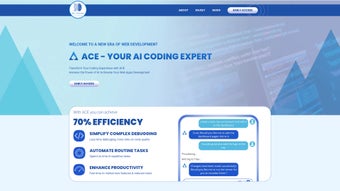
ACE by Braineous is built on a cutting‑edge language model that interprets both typed and spoken commands, turning them into executable workflows, database queries, or code snippets. The platform is designed for scalability: it can run in a public cloud, a private Virtual Private Cloud (VPC), or on‑premise servers, ensuring that sensitive data never leaves the boundaries you define. Security is baked in with TLS 1.3 encryption, AES‑256 at‑rest, role‑based access control (RBAC), and full audit logging. The AI continuously learns from user feedback, refining its suggestions to match the specific terminology and processes of your organization. Whether you need to automate invoice processing, route support tickets, or generate quarterly performance dashboards, ACE provides a zero‑code template library that can be customized in minutes or extended through robust SDKs for Python, JavaScript, and Java.
- Natural‑language interface supports both chat and voice commands.
- Developer SDKs for Python, JavaScript, and Java enable deep integration.
- Out‑of‑the‑box connectors for GitHub, GitLab, Bitbucket, Azure DevOps, and generic Git.
- Private VPC deployment guarantees data residency and compliance (GDPR, HIPAA, SOC 2).
- Context‑aware workflow automation across ERP, CRM, HRIS, and custom APIs.
- Real‑time analytics dashboard visualizes time saved, error reduction, and cost avoidance.
- Role‑based access control (RBAC) and SSO via SAML/OAuth.
- Continuous learning engine refines suggestions based on user feedback.
- Multilingual support (English, Spanish, Mandarin, French, German, Japanese).
- Zero‑code automation templates for common business scenarios such as invoice processing, ticket routing, and report generation.
Each feature is engineered with enterprise reliability in mind. For example, the integration with source‑control tools not only version‑controls AI‑generated scripts but also enforces code‑review policies before deployment, preserving governance standards. The analytics module surfaces key performance indicators (KPIs) like average time saved per workflow and error‑rate trends, giving leadership quantifiable evidence of ROI. Together, these capabilities make ACE a versatile, secure, and future‑ready automation engine that can evolve alongside your business needs.
Installation & Compatibility
Getting ACE up and running is streamlined for both cloud‑first teams and organizations that require on‑premise control. Start by creating a free account on the official ACE portal; the free tier provides up to 5,000 AI‑generated actions per month and access to core integrations. After logging in, choose your deployment model:
- Cloud‑Hosted Quick Start: Click “Deploy to Cloud,” and the platform provisions a managed instance within minutes. Updates and security patches are applied automatically.
- Self‑Managed VPC: Download the Docker image (
braineous/ace:latest) and the Helm chart for Kubernetes. Follow the wizard to set environment variables for API keys, database connections, and SSO providers. Rundocker run -d -p 8080:8080 braineous/ace:latestfor a single‑node test, or apply the Helm chart for a production‑grade cluster.
ACE supports Windows 10/11, macOS 12+, major Linux distributions (Ubuntu, CentOS, Debian), and containerized environments on any OS that runs Docker or Kubernetes. Mobile SDKs extend functionality to Android 8+ and iOS 13+, enabling on‑the‑go voice commands and quick task execution from smartphones or tablets.
After the runtime is up, navigate to the “Integrations” tab, link your GitHub, GitLab, or Bitbucket account, and grant the necessary permissions. ACE will automatically scan repositories for AI‑eligible scripts, version them, and make them callable from the chat interface. For voice interaction, install the optional “ACE Voice SDK” on your desktop or mobile device, configure the wake word (“Hey ACE”), and test with simple commands such as “Create a weekly sales report and email it to the regional managers every Monday at 9 AM.” The platform generates the underlying script, schedules the job, and confirms execution via the analytics panel. Ongoing monitoring, feedback submission, and incremental model updates ensure that the AI continuously improves its relevance to your specific workflows.
Pros & Cons
Pros
- Intuitive natural‑language interface shortens onboarding for non‑technical users.
- Robust integration with existing CI/CD pipelines and source‑control systems.
- Secure private VPC deployment meets strict compliance requirements.
- Extensible SDKs allow developers to create custom automations.
- Real‑time analytics provide clear, measurable ROI.
- Multilingual support enables global team collaboration.
- Free tier allows risk‑free evaluation before committing to a paid plan.
Cons
- Self‑managed VPC setup may require dedicated DevOps expertise.
- Voice recognition can be less accurate in noisy environments.
- Advanced customizations need programming knowledge.
- Limited offline capabilities; a stable internet connection is recommended for cloud instances.
ACE by Braineous delivers a compelling blend of AI‑driven automation and enterprise‑grade security. Its natural‑language capabilities lower the barrier to entry for non‑technical staff, while developers appreciate the rich SDKs and seamless source‑control integration. The primary drawback is the learning curve associated with private VPC deployment, but extensive documentation and an active community mitigate this issue. For businesses aiming to accelerate digital transformation without compromising data privacy, ACE stands out as a strong contender.
Frequently Asked Questions & Conclusion
Is there a free version of ACE by Braineous?
Yes. ACE offers a free tier that includes up to 5,000 AI‑generated actions per month, core integrations, and community support. Paid plans unlock higher usage limits, premium templates, and priority assistance.
Can ACE be deployed on‑premise?
Absolutely. ACE provides Docker images and Helm charts that can be installed inside a private Virtual Private Cloud (VPC) or on‑premise servers, ensuring that all data remains within your controlled environment.
What source‑control systems does ACE integrate with?
ACE natively supports GitHub, GitLab, Bitbucket, Azure DevOps, and any Git repository reachable via SSH or HTTPS.
How does ACE ensure data security?
Data is encrypted in transit (TLS 1.3) and at rest (AES‑256). When deployed in a VPC, the model never leaves your network. Role‑based access control, SSO, and detailed audit logs further protect sensitive operations.
Can ACE handle multilingual commands?
Yes. ACE currently supports English, Spanish, Mandarin, French, German, and Japanese, with additional languages being added in upcoming releases.
In a world where efficiency and security are non‑negotiable, ACE by Braineous emerges as a versatile AI companion that bridges the gap between technical depth and user‑friendly interaction. By converting natural language into actionable workflows, integrating tightly with development pipelines, and offering secure deployment options, ACE empowers organizations to cut down repetitive tasks, accelerate project delivery, and make smarter decisions based on real‑time analytics.
Whether you are a startup exploring a free, zero‑code automation starter or a large enterprise needing a compliant VPC‑hosted solution, ACE scales to meet your requirements.
The combination of voice‑enabled commands, robust SDKs, and comprehensive monitoring tools ensures that teams across finance, HR, marketing, and IT can collaborate more effectively and focus on strategic initiatives rather than manual minutiae.
Ready to experience a measurable boost in productivity? Download ACE by Braineous now and start building smarter workflows today.
Take advantage of the free tier, explore the extensive template library, and watch your operational costs shrink as the AI learns to work the way you do.



.png)



